This Complete Catia V5 Course course on LearnVern is completely free. It will provide a comprehensive understanding of the topic and its practical applications.
This Complete Catia V5 Course course on LearnVern is completely free. It will provide a comprehensive understanding of the topic and its practical applications.
Fix Together, Animate Constraints and Edit Multi-Constraint in CATIA V5
Sketching Exercise in CATIA V5 - 1
Sketching Exercise in CATIA V5 - 2
Sketching Exercise in CATIA V5 - 3
Assignment : Sketcher Module
Quiz : Sketcher Module
Sketch Based Features
Pad and Pocket Command in CATIA V5
Thin Pad Command in CATIA V5
Drafted Filleted Pad and Pocket Command in CATIA V5
Multi Pad and Pocket Command in CATIA V5
Shaft and Groove Command in CATIA V5
Hole Command in CATIA V5
Thread Command in CATIA V5
Rib and Slot Commands in CATIA V5
Stiffener Command in CATIA V5
Solid Combine Command in CATIA V5
Multi Section Solid with Guide in CATIA V5
Multi Section Solid Coupling Modes in CATIA V5
Spine Command in CATIA V5
Quiz : Sketch Based Features
Dress Up Features
Edge Fillet and Variable Fillet Feature in CATIA V5
Face to Face and Tritangent Fillet Feature in CATIA V5
Chamfer Feature in CATIA V5
Shell Feature in CATIA V5
Threads and Taps Feature in CATIA V5
Remove Face and Replace Face Feature in CATIA V5
Thickness Feature in CATIA V5
Draft Angle Feature in CATIA V5
Draft Reflect Line Feature in CATIA V5
Variable Angle Draft Feature in CATIA V5
Quiz : Dress Up Features
Surface Based Features
Split and Thick Surface Features in CATIA V5
Closed Surface and Sew Surface Features in CATIA V5
Quiz : Surface Based Features
Boolean Operations
Hybrid Designs, Multi-body and Geometrical Sets in CATIA V5
Add, Remove and Intersect Boolean Operation in CATIA V5
Assemble Boolean Operations in CATIA V5
Union Trim Command in CATIA V5
Remove Lump Command in CATIA V5
Quiz : Boolean Operations
Transformation Features
Translation, Rotation and Symmetry Features in CATIA V5
Axis to Axis and Mirror Features in CATIA V5
Rectangular Pattern in CATIA V5
Circular Pattern Feature in CATIA V5
User Pattern Feature in CATIA V5
Scaling and Affinity Feature in CATIA V5
Quiz : Transformation Features
Reference Elements
Reference Points in CATIA V5
Reference Axis in CATIA V5
Reference Plane in CATIA V5 Part-1
Reference Plane in CATIA V5 Part-2
Quiz : Reference Elements
Toolbar
Tools Toolbar in CATIA V5
Measure Item Dialog Box in CATIA V5
Data Exchange in CATIA V5
Apply Material in CATIA V5
Roller Support Assembly Part : Base Bracket
Roller Support Assembly Part : Side Bracket
Roller Support Assembly Part : Centering Pin
Roller Support Assembly Part : Centering Spindle
Roller Support Assembly Part : Bush
Assignment: Part Modeling
Quiz : Toolbar
Assembly Module
Introduction to Assembly Modeling in CATIA V5
New Part and New Product Creation in Assembly Workbench of CATIA V5
Replace, Reorder and Multiplication Operations in CATIA V5
Fix, Coincident, Offset and Contact Constraint in CATIA V5
Angle, Fix Together and Quick Constraint in CATIA V5
Change Constraint and Reuse Pattern in CATIA V5
Detecting Clashes in CATIA V5
Sectioning in CATIA V5
Move Command for Translation, Rotation and Position in CATIA V5
Assembly Design Part Manipulation in CATIA V5
Stop Manipulate on Clash Command in CATIA V5
Exploded View of Assembly in CATIA V5
Snap and Smart Move Tool in CATIA V5
Enhanced Scene in CATIA V5
Hole,Add and Remove Assembly Feature in CATIA V5
Split and Pocket Assembly Feature in CATIA V5
Assembly Symmetry in CATIA V5
Exercise 1: Roller Support Assembly
Exercise 2: Knuckle Joint Assembly
Exercise 3: Plummer Block Assembly
Assignment : Assembly Module
Quiz : Assembly Module
Sheet Metal Design Module
Introduction to Generative Sheet Metal Design in CATIA V5
CATIA V5 Sheet Metal Parameters
Sheet Metal Parameters : K-Factor
CATIA V5 Sheet Metal Design: Flat Pattern
CATIA V5 Sheet Metal Design: Wall
CATIA V5 Sheet Metal Design: Wall on Edge
CATIA V5 Sheet Metal Design: Extrusion
CATIA V5 Sheet Metal Design: Flange
CATIA V5 Sheet Metal Design: Hem and Tear Drop
CATIA V5 Sheet Metal Design: User Flange
CATIA V5 Sheet Metal Design: Bend
CATIA V5 Sheet Metal Design: Bend From Flat
CATIA V5 Sheet Metal Design: Folding and Unfolding
CATIA V5 Sheet Metal Design: Rolled Walls
CATIA V5 Sheet Metal Design: Hopper
CATIA V5 Sheet Metal Design: Free From Surface
CATIA V5 Sheet Metal Design: Cutout Part 1
CATIA V5 Sheet Metal Design: Cutout Part 2
CATIA V5 Sheet Metal Design: Hole and Circular Cutout
CATIA V5 Sheet Metal Design: Corner Relief
CATIA V5 Sheet Metal Design: Corner and Chamfer
CATIA V5 Sheet Metal Design: Surface Stamp
CATIA V5 Sheet Metal Design: Bead and Curve Stamp
CATIA V5 Sheet Metal Design: Flanged Cutout and Louvre
CATIA V5 Sheet Metal Design: Bridge, Flanged Hole and Circular Stamp
CATIA V5 Sheet Metal Design: Stiffening Rib and Dowel
CATIA V5 Sheet Metal Design: User Stamp
CATIA V5 Sheet Metal Design: Recognize
Sheet Metal Exercise 1: Flange
Sheet Metal Exercise 2: Bracket
Sheet Metal Exercise 3: Mounting
Assignment : Sheet Metal Design Module
Quiz : Sheet Metal Design Module
Surface Design Module
Introduction to CATIA V5 Surface Design
CATIA V5 Surface Design: Extrude and Revolve Command
CATIA V5 Surface Design: Sphere and Cylinder Command
CATIA V5 Surface Design: Offset Command
CATIA V5 Surface Design: Multi Section Surface
CATIA V5 Surface Design: Fill Surfaces
CATIA V5 Surface Design: Blend
CATIA V5 Surface Design: Join Operation
CATIA V5 Surface Design: Heal Operation
CATIA V5 Surface Design: Untrim and Disassemble Operation
CATIA V5 Surface Design: Split Operation
CATIA V5 Surface Design: Trim Operation
CATIA V5 Surface Design: Boundary and Extract Operation
CATIA V5 Surface Design: Transformation Operation
CATIA V5 Surface Design: Extrapolate Operation
CATIA V5 Surface Design: Point, Axis and Plane
CATIA V5 Surface Design: Projection and Intersection
CATIA V5 Surface Design: Circle
CATIA V5 Surface Design: Corner and Connect Curve
CATIA V5 Surface Design: Spline
CATIA V5 Surface Design: Helix
Surface Design Exercise in CATIA V5
Surface Design Exercise in CATIA V5: Water Jug
Surface Design Exercise in CATIA V5: Badminton Racket
Assignment : Surface Design Module
Quiz : Surface Design Module
Drafting Module
First Angle Projection and Third Angle Projection
Importance of Drafting in Manufacturing Process
Introduction to Drafting Workbench in Catia V5
CATIA V5 Drafting Workbench: Front View, Projected View and Isometric View
CATIA V5 Drafting Workbench: Unfolded View and Auxiliary View
CATIA V5 Drafting Workbench: Section View
CATIA V5 Drafting Workbench: Detail View
CATIA V5 Drafting Workbench: Clipping View
CATIA V5 Drafting Workbench: Broken View
CATIA V5 Drafting Workbench: Break-out View and 3D Clipping
CATIA V5 Drafting Workbench: View Creation Wizard
CATIA V5 Drafting Workbench: Dimensioning Toolbar
CATIA V5 Drafting Workbench: Frame and Title Block
CATIA V5 Drafting Workbench: Ballooning and Bill of Material
CATIA V5 Drafting Workbench: Text Toolbar
CATIA V5 Drafting Workbench: Tables
CATIA V5 Drafting Workbench: Roughness Details
CATIA V5 Drafting Workbench: Welding Details
CATIA V5 Drafting Workbench: Dress-Up Elements
Exercise 1: Drafting of Side Bracket
Exercise 2: Drafting of Roller Support Assembly
Exercise 3: Drafting of Sheet Metal Bracket
Assignment : Drafting Module
Quiz : Drafting Module
Industrial Project : 30Deg Single Cylinder Oscillating Steam Engine
Steam Engine Part: Base Plate
Steam Engine Part: Main Frame
Steam Engine Part: Piston and Cylinder
Steam Engine Part: Crank Shaft, Crank Pin and Crank Wheel
Steam Engine Part: Flywheel
Steam Engine Part: Air Hose Coupling
Steam Engine Part: Spring Wire
Steam Engine Assembly
Steam Engine Assembly Drafting: Isometric View and Exploded View
Steam Engine Assembly Drafting: General Assembly Drawing
Steam Engine Part Drafting: Base Plate
Steam Engine Part Drafting: Main Frame
Steam Engine Part Drafting: Cylinder
Steam Engine Part Drafting: Flywheel
Steam Engine Part Drafting: Crank Shaft, Crank Pin and Crank Wheel
Steam Engine Part Drafting: Piston, Air Hose Coupling, Spring Wire
Save Drafting Files in PDF Format
Industrial Sheet Metal Project : CPS Stack Assembly
Converting STEP File assembly to CATIA File
CPS Stack Part Drafting: Rear CAP MTG Bracket
CPS Stack Part Drafting: Air Guide
CPS Stack Part Drafting: Heatsink Mounting Plate
CPS Stack Part Drafting: Plate
CPS Stack Part Drafting: CAP MTG Plate
CPS Stack Part Drafting: Base Flange
CPS Stack Part Drafting: Stake Base Plate
CPS Stack Assembly Drafting
CPS Stack Part Modeling: Rear CAP MTG Bracket
CPS Stack Part Modeling: Air Guide
CPS Stack Part Modeling: Heatsink Mounting Plate
CPS Stack Part Modeling: Plate
CPS Stack Part Modeling: CAP MTG Plate
CPS Stack Part Modeling: Base Flange
CPS Stack Part Modeling: Stake Base Plate
CPS Stack Assembly
Course Summary
Course Summary
Interview Questions
Interview Questions
Career Guidelines
Career Guidelines
Course Offerings
Certificate you will get
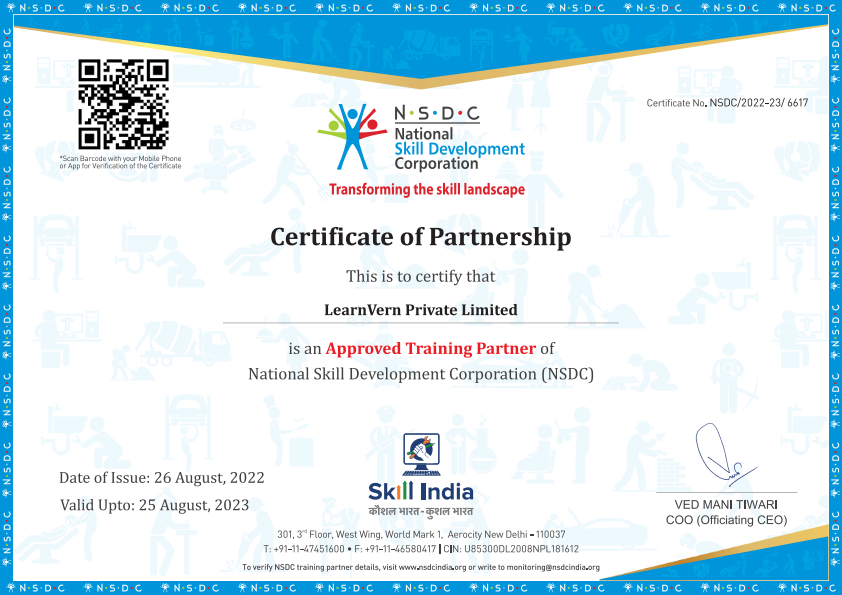
NSDC Certificate of Partnership with LearnVern.
Help build strong resume.
Great add-on to get Internship.
Upgrade your Job with this certificate proof.
Pre Requsites
Basic proficiency in reading and writing.
Familiarity with using technology for research and assignments.
A curious mind and willingness to participate actively.
Course is for
Freshers
Professionals
Students
FAQ's
Can LearnVern’s course help understand what is CATIA?
LearnVern’s course contains detailed modules that introduce the students to basic and advanced features of CATIA. The step-by-step tutorial explaining all CATIA features and their use in CAD designing can help understand the concepts thoroughly.
Who can benefit from the CATIA Course from LearnVern?
The LearnVern course is quite beneficial for the students who want to learn basics like how to install CATIA and various features that help develop product modelling skills. Thus, engineering students from mechanical, automobile, and aerospace branches and working professionals can upgrade their skills by learning CATIA online at LearnVern.
Why is LearnVern’s CATIA Course the best choice for upgrading CAD skills?
LearnVern’s course is quite learning-oriented and job-oriented as well. This course is needed to learn creating product models and enhance features with design thinking. The professionals can gain a working knowledge of CATIA features and get the expertise required for jobs. With all relevant features and practical explanations, LearnVern’s course can provide the best learning support for upgrading CAD skills with all relevant features and practical explanations.
Do I need to attend any physical classroom session to do LearnVern’s CATIA Course?
LearnVern is an e-learning platform that brings all courses on computers and mobile devices with iOS and Android functionalities. Thus, students can access the courses from LearnVern’s website and app on their devices. It helps them do the course from any place and at the time of their preference.
What are the most beneficial features of the CATIA Course from LearnVern?
CATIA Course from LearnVern explains all features through a video tutorial. The course is explained in the Hindi language. It is available free of cost to all students. The students can do this course on their iOS and Android devices. All these features, offering the best learning convenience, make it easier for students to become more skilled and job-ready. The flexibility of time, place, and pace and to learn in a language that is easy to grasp removes all sorts of barriers for learners.
What will I learn in the LearnVern CATIA Course Online?
You will learn how to implement CATIA in mechanical Computer-aided designing works. The features-based and parts-based modelling is another skill you can grasp by this course. Simple assembly creation, sheet metal part designing and user features incorporation, etc. are other basic skills that can help professionals do CAD works with no sweat.
How can I discuss problems while doing the CATIA Course from LearnVern?
The students get a discussion board to post queries and discuss problems with other peers. They can share their knowledge, too, and grow their learning through discussion boards while doing the course from LearnVern.
How does LearnVern help in gaining skills in a career-oriented manner?
LearnVern’s modules contain the processes and the methods by which you can use various features of CATIA. By providing information on how to use CATIA’s functionalities and their outcome, LearnVern prepares students for various product modelling, sheet metal designing, and features-based designing works. All these skills help gain skills needed to boost a career.