Home » Courses » Master Solidworks 2022 with Real Time Examples and Projects
Master Solidworks 2022 with Real Time Examples and Projects
by
Learnvern
This Master Solidworks 2022 with Real Time Examples and Projects course on LearnVern is completely free. It will provide a comprehensive understanding of the topic and its practical applications.
Home » Courses » Master Solidworks 2022 with Real Time Examples and Projects
Master Solidworks 2022 with Real Time Examples and Projects
by
Learnvern
This Master Solidworks 2022 with Real Time Examples and Projects course on LearnVern is completely free. It will provide a comprehensive understanding of the topic and its practical applications.
Sketch Model Line, circle and rectangle tool in solidworks
Arc, Ellipse and Slot tool in Solidworks
Point, spline, Text and Construction Geometry in solidworks
Sketch Tools in Solidworks
Fillet, Chamfer and Offset tool in Solidworks
Trim, Extend and Splitting in Solidworks
Dynamic Mirror and Mirror in Solidworks
Move, Copy, Rotate, Scale and Stretch tool in Solidworks
Modify Sketch, Jog Line and Inference Line in Solidworks
Using Snaps in Solidworks
Sketch Pattern and Hatch in Solidworks
Rapid Sketch in Solidworks
Close Sketch tool, Model tool and Convert Entities in Solidworks
Block, Relations and Dimensioning
Blocks in Solidworks
Relation in Solidworks
Adding Dimension to a Sketch in Solidworks
Repair Sketch and Display Delete Relation in Solidworks
Creating 3D Sketch in Solidworks
Assignment : Sketch Tool
Quiz : Block, Relations and Dimensioning
Part Modeling and Base Features
Entering The Part Module in Solidworks
Creating Extrude Boss in Solidworks
Creating Revolved Boss in Solidworks
Creating Sweft Boss in Solidworks
Creating Loft Boss in Solidworks
Cut Features
Extrude Cut in Solidworks
Revolve Cut Features In Solidworks
Swept Cut Features In Solidworks
Loft Cut Features In Solidworks
Reference Plane Geometry
Implementation of Reference Plane in Solidworks
Reference Geometries and Coordinate System in Solidworks
Curves Generation
Split Curves in Solidworks
Projecting Curves and Curves through reference points in Solidworks
Helix and Spiral Curves in Solidworks
Fillet Feature
Fillets in Solidworks
Variable Size, Face, Round Fillet and Fillet Xpert in SolidworkS
Chamfers in Solidworks
Shell in Solidworks
Rib in Solidworks
Drafts in Solidworks
Pattern - Part 1 in Solidworks
Pattern - Part 2 in Solidworks
Mirror in Solidworks
Simple Hole and Hole Wizard in Solidworks
Wrap Features in Solidworks
Vent in Solidworks
Dome in Solidworks
Body Intersection tool in Solidworks
Split, Delete and Multiple bodies in Solidworks
Link Dimensions in Solidworks
Design Tables in Solidworks
Assignment : Part Modeling
Quiz : Fillet Feature
Assembly Modeling
Introduction of Assembly Modeling in Solidworks
Creating Assembly and Inserting Components in Solidworks
Assembly and Standard Mates in Solidworks
Advance Mates in Solidworks
Mechanical Mates in Solidworks
Smart Mates in Solidworks
Mate Reference in Solidworks
Replace Assembly Components in Solidworks
Rotating and Moving Components in Solidworks
Using Assembly Pattern and Assembly Mirror in Solidworks
Exploded View in Solidworks
Assignment : Assembly Modeling
Quiz : Assembly Modeling
Drawing
Introduction to Drawing
Creating Drawing and Inserting Components in Solidworks
Generating Views in solidworks
Creating Section and Detail View in solidworks
Adding Dimensions and Annotations in solidworks
Creating Exploded View, Adding B.O.M. and Balloons in Solidworks
Creating Flat Pattern View and Adding Tables in solidworks
Customizing title Block Template in solidworks
Assignment : Drawing
Quiz : Drawing
Sheet Metal
Base Flange in Sheet Metal Solidworks
Edge Flange in Sheet Metal Solidworks
Miter Flange and Creating Hem in Sheet Metal Solidworks
Jog and Break Corner in Sheet Metal Solidworks
Closed Corners, Rip and Sketched Bend in Sheet Metal Solidworks
Unfold, Fold and Flatten in Sheet Metal Solidworks
Lofted Bend, Cross Break and Welded Corner in Sheet Metal Solidworks
Forming Tool in Sheet Metal Solidworks
Converting Solid Part Into Sheet Metal Part Solidworks
Assignment : Sheet Metal
Quiz : Sheet Metal
Weldments
Introduction to Weldment
Entering Weldment Module in Solidworks
3D Sketch in Weldment Module
Structure Member Feature in Weldment
Trim and Extend Features in Weldment
End Cap, Gusset and Weld Bead in Weldment
EXtruded Boss and Cut, Hole Wizard and Chamfer in Weldment
Custom Weldment Profile
Course Summary
Course Summary
Project
Detail Of Bracket
Valve
Wedge
Design Of Kitchen sink
Electrical Panel Box Assembly
Design of machine Vice
Movable Jaw, Clamping Plate
Screw Rod, Nut m10, Lock Nut M10, Washer
Create Rod or Rod Cap and Screw M6
Assembly Of Machine Vice and Exploded View
Career Guideline
Career Guideline
Course Offerings
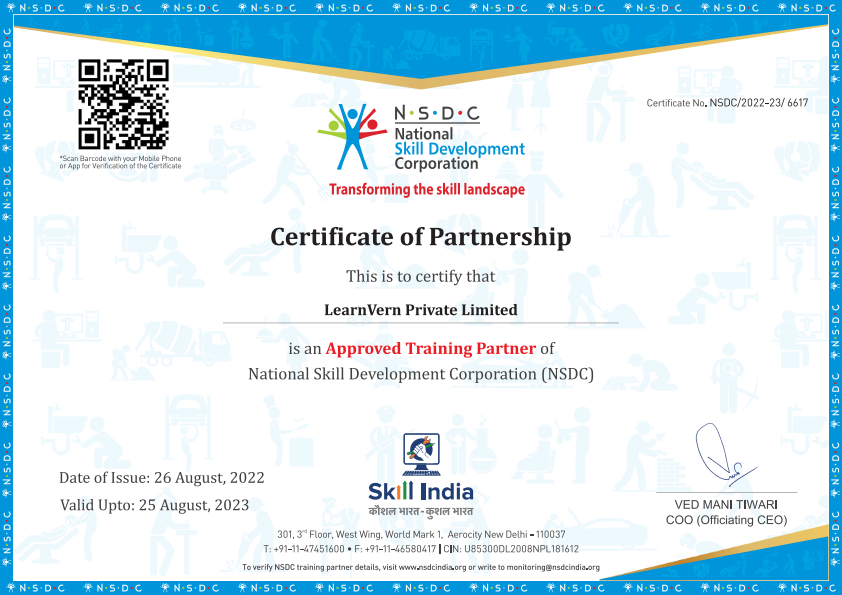
Certificate you will get
NSDC Certificate of Partnership with LearnVern.
Help build strong resume.
Great add-on to get Internship.
Upgrade your Job with this certificate proof.
Pre Requsites
Basic proficiency in reading and writing.
Familiarity with using technology for research and assignments.
A curious mind and willingness to participate actively.
Course is for
Freshers
Professionals
Students
FAQ's
What careers use SolidWorks?
3D models are used in different mediums like video games, movies, architecture, illustration, engineering, and commercial advertising. Career options available after learning SolidWorks are Architectural Visualizer, SolidWorks Designer, SolidWorks Architect, SolidWorks Artist and the likes.
What is SolidWorks?
SolidWorks is CAD software that is used for parametric three-dimensional modeling purposes. It is a computer-aided engineering (CAE) computer program and solid modeling computer-aided design (CAD).
What are SolidWorks system requirements?
Computer running SolidWorks are recommended to meet these requirements:Processor: 3 GHz or higher clock speed (preferably closer to 4 GHz)Operating System: Windows 10 64-bitMemory: 32GB to 64GBHard Drive: Solid State Drive (SSD), maintaining at least 20GB free spaceGraphics Card: NVIDIA Quadro®/NVIDIA GeForce®/Tesla™ with at least NVIDIA Kepler™ chip; Dual-GPU setup with at least NVIDIA Maxwell™ cards for the best experience.
How to download SolidWorks for free?
Check that your system meets the minimum system requirements. Then, click on the free link for installing SolidWorks. When file downloading is finished, run SolidWorks Installation Manager. After installing, the last step would be to accept the terms and conditions.
What is the difference between AutoCAD and SolidWorks?
AutoCAD is a 2D drafting and 3D modeling software, whereas SolidWorks is used for parametric 3D modeling purposes. AutoCAD is compatible with Microsoft Windows and macOS, while SolidWorks is compatible with operating software Microsoft Windows only.AutoCAD supports API files, whereas SolidWorks supports Microsoft storage files