This Graphic Designing with Photoshop course on LearnVern is completely free. It will provide a comprehensive understanding of the topic and its practical applications.
This Graphic Designing with Photoshop course on LearnVern is completely free. It will provide a comprehensive understanding of the topic and its practical applications.
Spot Healing, Healing Brush and Patch Tool in Photoshop
Brush Tool in Photoshop
Clone Stamp and Pattern Stamp Tool in Photoshop
Eraser Tool in Photoshop
Gradient and Paint Bucket Tool in Photoshop
Blur, Sharpen and Smudge Tool in Photoshop
Dodge, Burn and Sponge Tool in Photoshop
Pen Tool in Photoshop
Path Selection and Direct Selection in Photoshop
Type Tool in Photoshop
Vector Tools in Photoshop
Quiz : Tools Part 1
Quiz : Tools Part 2
Edit Menu
General Editing Tools and Fill in Photoshop
Transform and Brush Preset in Photoshop
Quiz : Edit Menu
Image Menu
Image Mode and Adjustments in Photoshop
Image Adjustment More Options in Photoshop
Image Auto Adjustments and Size Parameters in Photoshop
Quiz : Image Menu
Layer Menu
Layer Basics in Photoshop
Layer Styles,Fill and Merge in PhotoShop
Layer Mask and Vector Mask in Photoshop
Layer Merging in Photoshop
Select Menu
Select Menu in Photoshop
Filter Menu
Filter Gallery in Photoshop
Filter Part 1 in Photoshop
Filter Part 2 in Photoshop
Quiz : Filter Menu
Window Menu
Window Menu in Photoshop
View Menu
View Menu in Photoshop
Portfolio Creation In Photoshop
What Is Logo And Its Types
Logo Design In Photoshop
3d Logo design And Visiting Card Design In Photoshop
Color Correction In Photoshop
Flyer Design In Photoshop
Wet Glass Effect In Photoshop
How To Create Whitten Teeth In Photoshop
How To Do Color Correction Shadow Removal And Hair In Photoshop
Mockups Design In Photoshop
Poster Designing In Photoshop
Badge Designing In Photoshop
Infographics Designing In Photoshop
How To Design Seamless Patterns In Photoshop
Web Banner Designing In Photoshop
Letterhead Designing In Photoshop
Invitation Card Designing In Photoshop
Steps To Follow For Logo Design For Any Brand
Assignment
Assignment Of Design Mockup
Assignment Of Design Poster
Assignment Of Flyer
Assignment Of Infographics
Assignment Of Precisely Cut Out Hair
Assignment Of Remove Shadow
Assignment OF Sky Replacement
Assignment Of Visiting Card
Assignment Of Wet Glass Effect
Assignment How to edit background of image
Assignment How to highlight jewellery
Assignment How to highlight bride
Assignment How to create web layout
Master Quiz
Master Quiz
Course Offerings
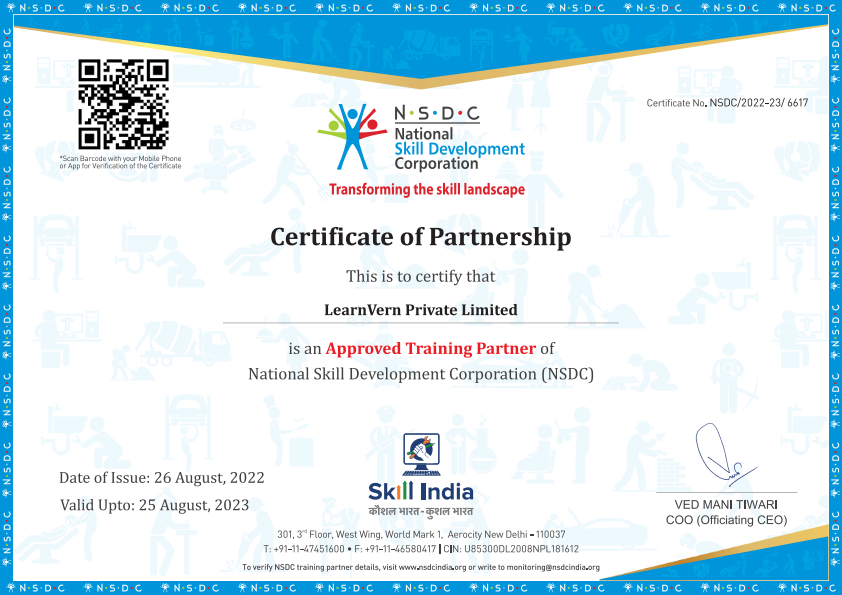
Certificate you will get
NSDC Certificate of Partnership with LearnVern.
Help build strong resume.
Great add-on to get Internship.
Upgrade your Job with this certificate proof.
Pre Requsites
Basic proficiency in reading and writing.
Familiarity with using technology for research and assignments.
A curious mind and willingness to participate actively.
Course is for
Freshers
Professionals
Students
FAQ's
How to learn Adobe Photoshop?
Learn Adobe Photoshop easily by joining the Photoshop online course at LearnVern. This course comprises a video tutorial that comprises all basic and advanced topics of Photoshop tool. The video-based explanation allows you to build practical knowledge.
How to learn Photoshop for beginners?
LearnVern offers the best Photoshop tutorial for beginners. As a beginner, you must learn all Photoshop basics to build a conceptual knowledge base. Also, the tutorial explains all features of this graphic designing software and the functions those perform. It helps acquire working knowledge and create designs professionally.
What are the benefits of joining LearnVern Photoshop course?
LearnVern’s Photoshop Online course for free in Hindi offers end-to-end coverage of all essential functions that you can do with You can download the lectures on iOS and Android devices and learn it at your own pace. The tutorial provides practical knowledge of how to use Photoshop to create logos, banners, flyers, etc. You get the NSDC certificate approved by the Government of India that recognizes your professional skills as a Photoshop developer.
Is LearnVern Photoshop Course Free?
Yes, the LearnVern Photoshop Course is 100% free. LearnVern is a part of Skill India Initiative which is a dream project of the Prime Minister of India. The aim is to help aspiring professionals upgrade their skill-set and be ready for jobs. To ensure that no one is deprived of learning opportunities, the courses are offered free of cost to all.
How can I get Photoshop certification from LearnVern?
On completing the Photoshop online course from LearnVern, you can avail the National Skill Development Certificate. You are required to pay a nominal fee to get this certificate. It helps a lot in jobs as it testifies your talent as a trained Photoshop expert.
How can I learn Photoshop for free?
You can join the LearnVern Photoshop Online Course which is 100% free for all. This e-learning platform is a part of Skill India Initiative that extends learning support to students from all walks of life. You can join the course using your iOS and Android mobile devices and study designing at a flexible pace. No fee charged for tutorial, assignments, etc.; if you need a certificate, you pay only for the NSDC certificate, a nominal charge.
Can I Learn Photoshop by myself?
Yes, you can learn Photoshop by yourself with an online course available in Hindi at LearnVern. The tutorial is video-based that is easy to follow. By revisiting tutorials time and again, you can learn it on your own. To self-assess the progress, you can solve assignments and quizzes provided along with the tutorial.
What Should I Learn First in Photoshop?
You can start with Photoshop basics like ‘what is Photoshop’? You can learn the complete file menu and various tools like move tool, Marquee tool, Lasso tool, pen tool, etc. How to use these tools to perform actions like dodge, burn and sponge, edit or morph photos and backdrops, etc. are other basics to learn Photoshop.
What is the best way to learn Photoshop?
To learn Photoshop the best way, you can choose the course from LearnVern that offers the self-paced tutorial. You can install Photoshop on your computer device and practise all concepts as taught in the tutorial. To check the proficiency, you must create a portfolio of designs using the tools you learned about in the tutorial.
Is Photoshop tough to learn?
No, Photoshop is not tough to learn if you are conversant with the basic computer skills. The course does not require technical knowledge or coding skills. You can further ease the learning process by joining the LearnVern Photoshop Online Course which is available in Hindi and is offered for free.
Who is your Certification Partner?
TOPS Technologies is the Graphic Design Certification Course Partner. TOPS Technologies is a Gujarat-based IT Training Company that has Partnered with NSDC